Initialization
Prepares the router before a job starts.
CNC driver
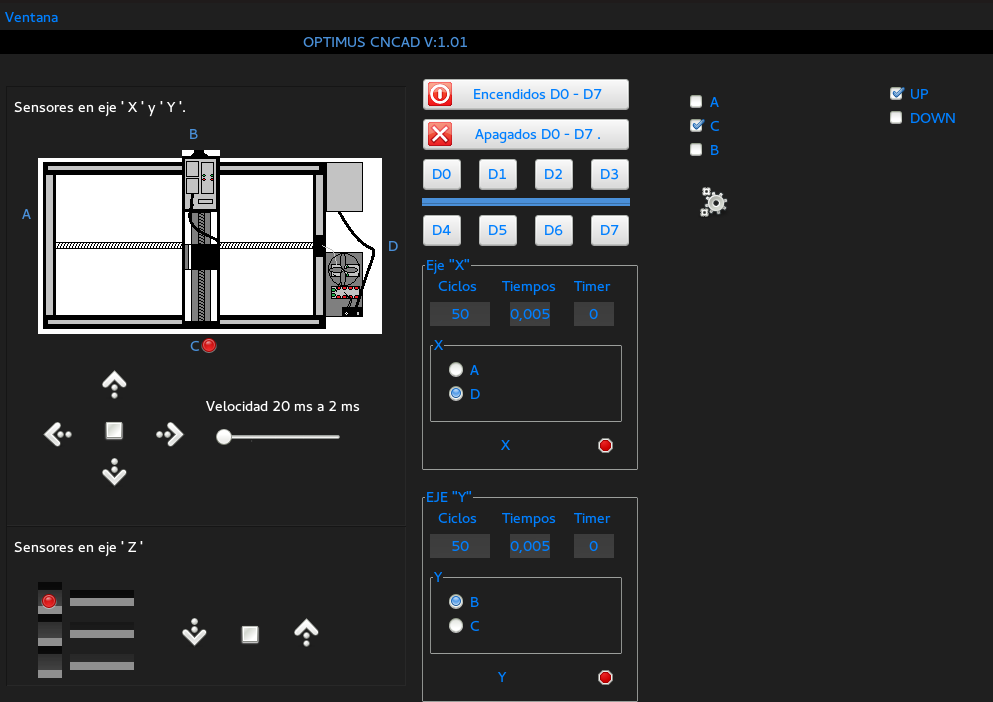
The CNC Driver is the bridge between the design software and the physical machine. It loads the saved cutting path, prepares the router, allows direct axis movement, checks sensor states, and runs the motion sequence needed to cut the piece.
Control logic
The driver receives the coordinates generated in the Design Software and turns them into machine movement. The X and Y axes position the cutting path over the work area, while the Z axis raises or lowers the tool so it can cut, travel, or return to a safe position.
Manual control is important before any automatic run. It lets the operator test each motor, check the direction of movement, align the machine with the material, and confirm that the tool can move without touching the workpiece unexpectedly.
Once the setup is ready, the driver follows the saved sequence and keeps the process visible through the interface: project loading, initialization, sensor state, axis position, and cut preview.
Driver responsibilities
Prepares the router before a job starts.
Moves each axis directly for testing, positioning, and material alignment.
Uses sensor states to protect the mechanism and avoid unsafe movement.
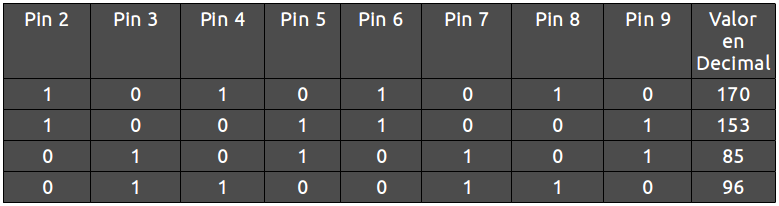
Transforms stored coordinates into step-by-step machine motion.
Shows the route before running the cutting process.
Keeps the operator aware of X, Y, and Z movement during setup.
Reads the saved design data and prepares it for machine control.
Groups start, pause, stop, and reset actions in the control workflow.
Screens
Driver controls for the cutting process.
Direct movement controls for setup.
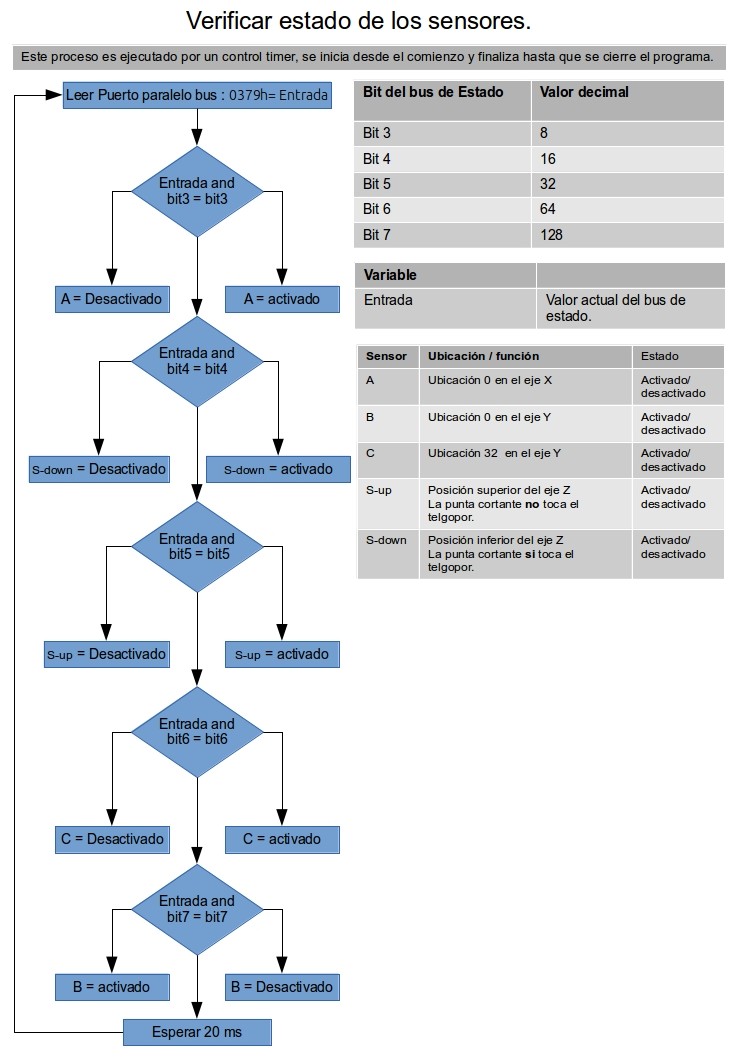
Sensor references used by the control system.

Loading the project data before machine control.
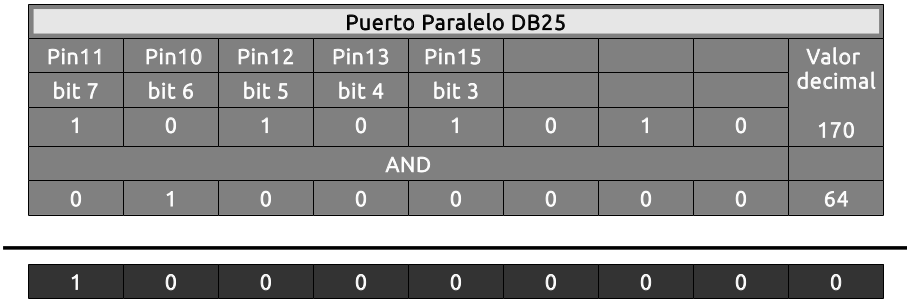
Controls and state references for machine axes.
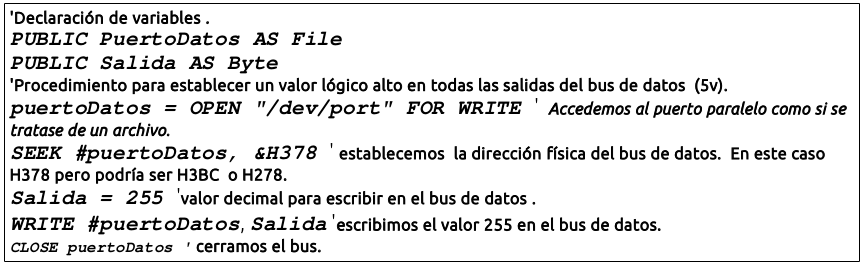
Visual reference for the process before execution.
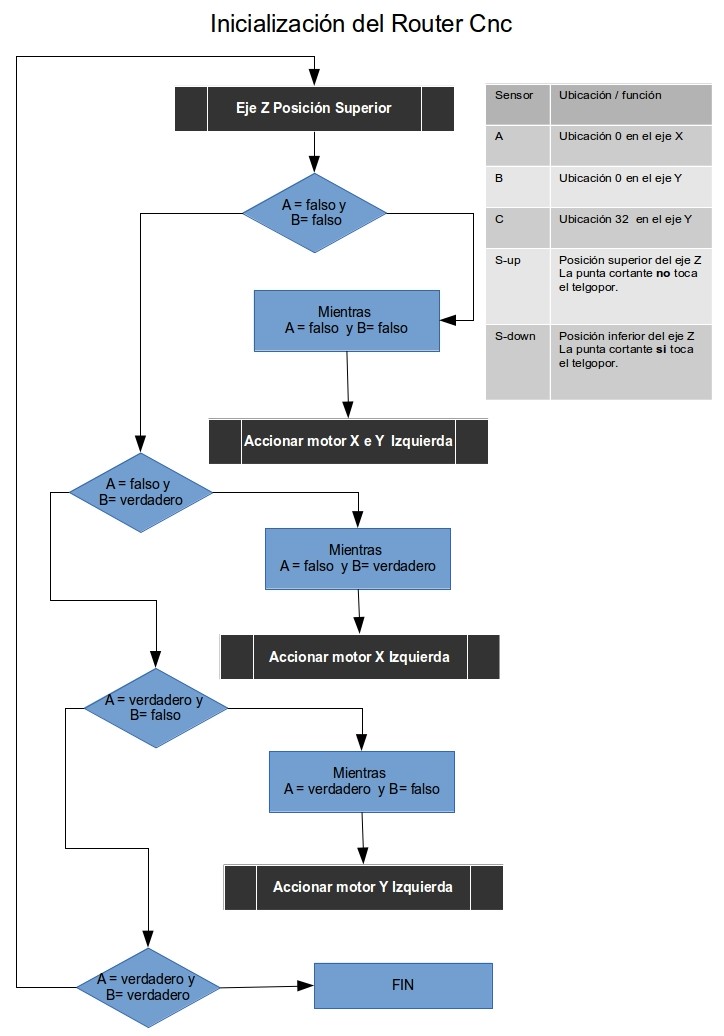
Preparing the router before movement starts.
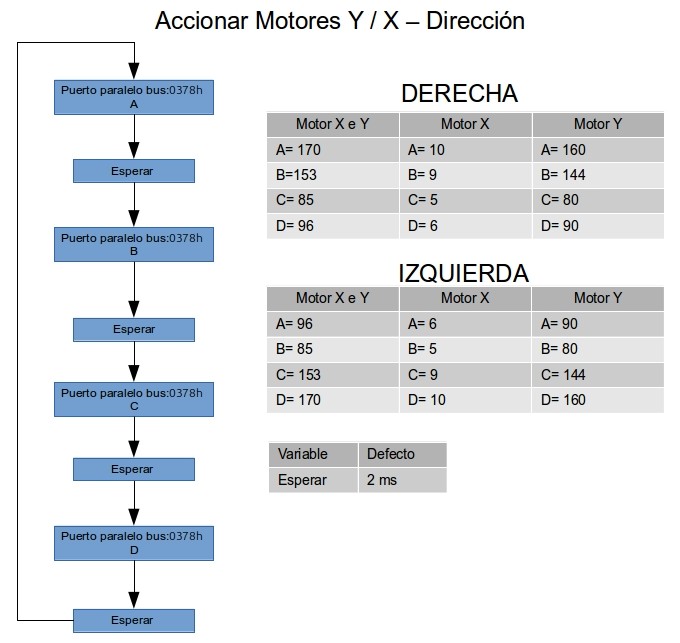
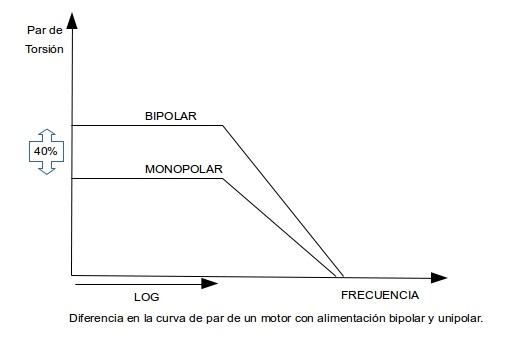
Motor control reference for horizontal movement.
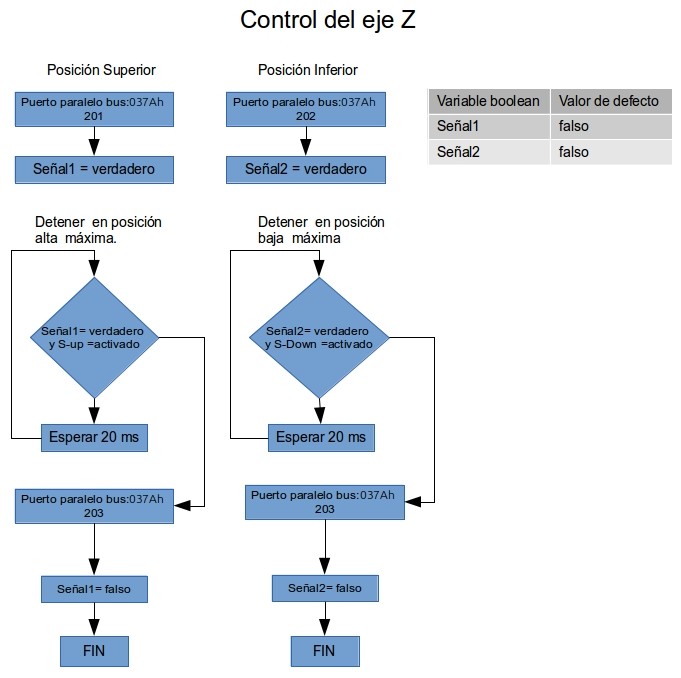
Tool up/down movement reference.