Design Software
Creates and edits the geometry used as the cutting path, including project setup, point data, and drawing previews.
Open sectionEducational CNC project | 2013-2014
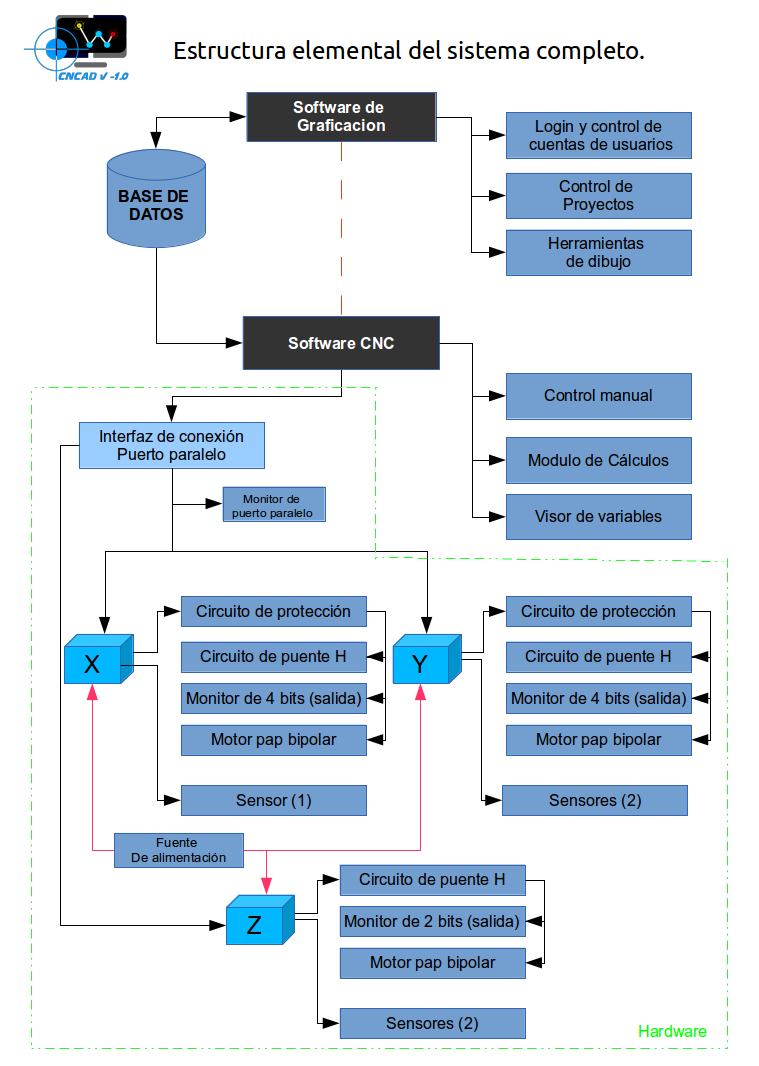
CNCAD V-1.0 documents a complete learning prototype built to cut expanded polyethylene pieces from digital drawings. The project connects a custom design program, a CNC driver, electronic control circuits, and a small three-axis router.
Purpose
The project began in early 2013 as an independent learning process and was completed in mid 2014. The goal was to understand computer-controlled machining through direct experimentation instead of depending only on ready-made software and hardware.
The prototype is intentionally modest compared with an industrial CNC system. That is part of its value: the design software, the driver, the circuits, and the mechanism can be studied as one connected system.
This site keeps the documentation organized so students, makers, and builders can follow the path from a drawn shape to an electrical signal and finally to physical movement.
System structure
Creates and edits the geometry used as the cutting path, including project setup, point data, and drawing previews.
Open sectionReads the project data, prepares the machine, and coordinates manual or automatic movement across the axes.
Open sectionConnects the computer with motors, sensors, protection circuits, logic stages, and H-bridge drivers.
Open sectionCombines threaded rods, stepper motors, structural plates, and the cutting tip into a foam-cutting router.
Open sectionWhat is CNC?
CNC automates machine tools through programmed commands. Instead of moving a tool manually, a computer sends precise instructions to position the machine and repeat the same operation accurately.
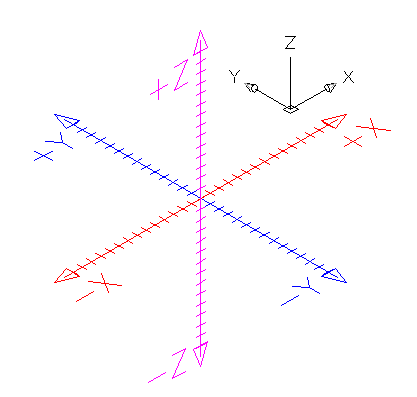
In this prototype, the router cuts foam pieces previously drawn in the design software. The X and Y axes position the path, while the Z axis raises or lowers the cutting tool. The system uses a positive coordinate area so the software and machine share the same reference for movement.
Open development
CNCAD was developed with Gambas, a free BASIC-derived language for GNU/Linux. The project favors open tools because they make the learning process transparent and easier to adapt.
Fedora and Ubuntu were used as the preferred environments during development. Gambas made it possible to build graphical interfaces while keeping the code close to the logic of the prototype: draw, store points, read the project, and send movement commands.